OrbitOverlay

A free SteamVR overlay for Windows: a watch on your wrist, your PC screens around you, and a keyboard when you need one.
Download OrbitOverlaySetup.exe v1.15.1 · 18 Oct 2026 · Windows 10 / 11
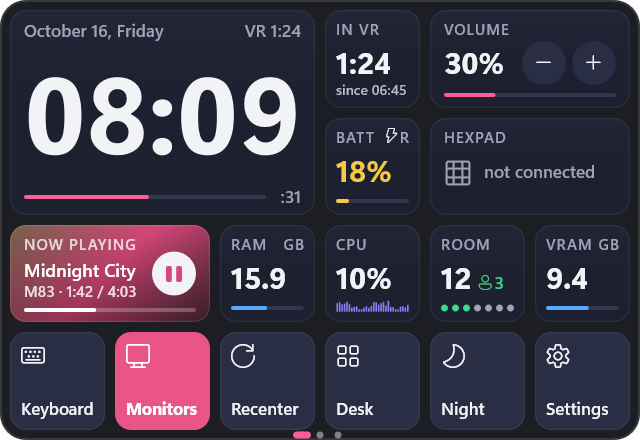
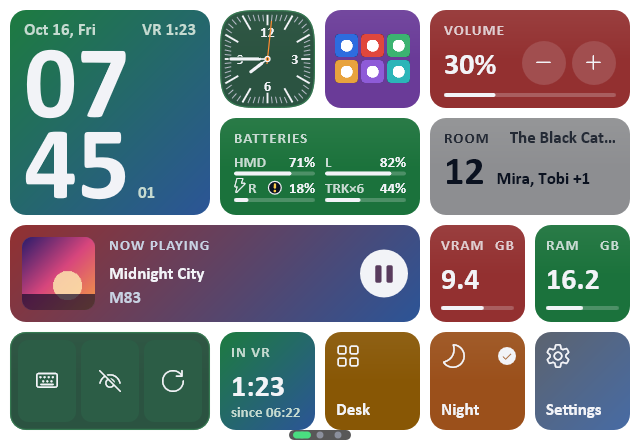
The OrbitOverlay watch: a stacked clock, batteries, volume, now playing, the VRChat room, buttons and the page dots

Seven styles

Settings › Look › Style: Modern, Windows 95, Windows XP, Windows 7, Classic Mac, Terminal or Cyber. Each one draws the watch, the settings, the keyboard, notifications, the screen bar and the Room and Hexpad views the way that system really looked. Pick one to see its watch and its Look page.
Style
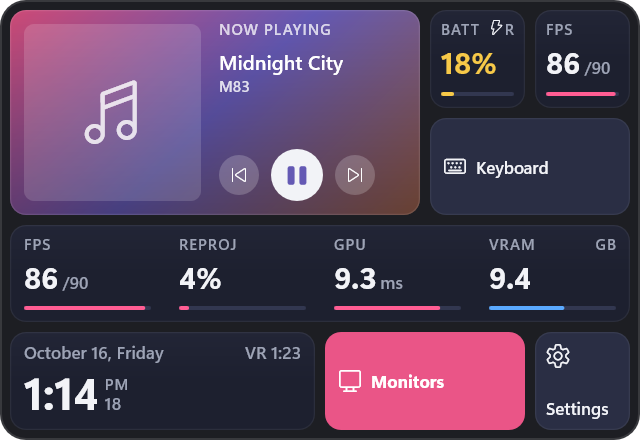
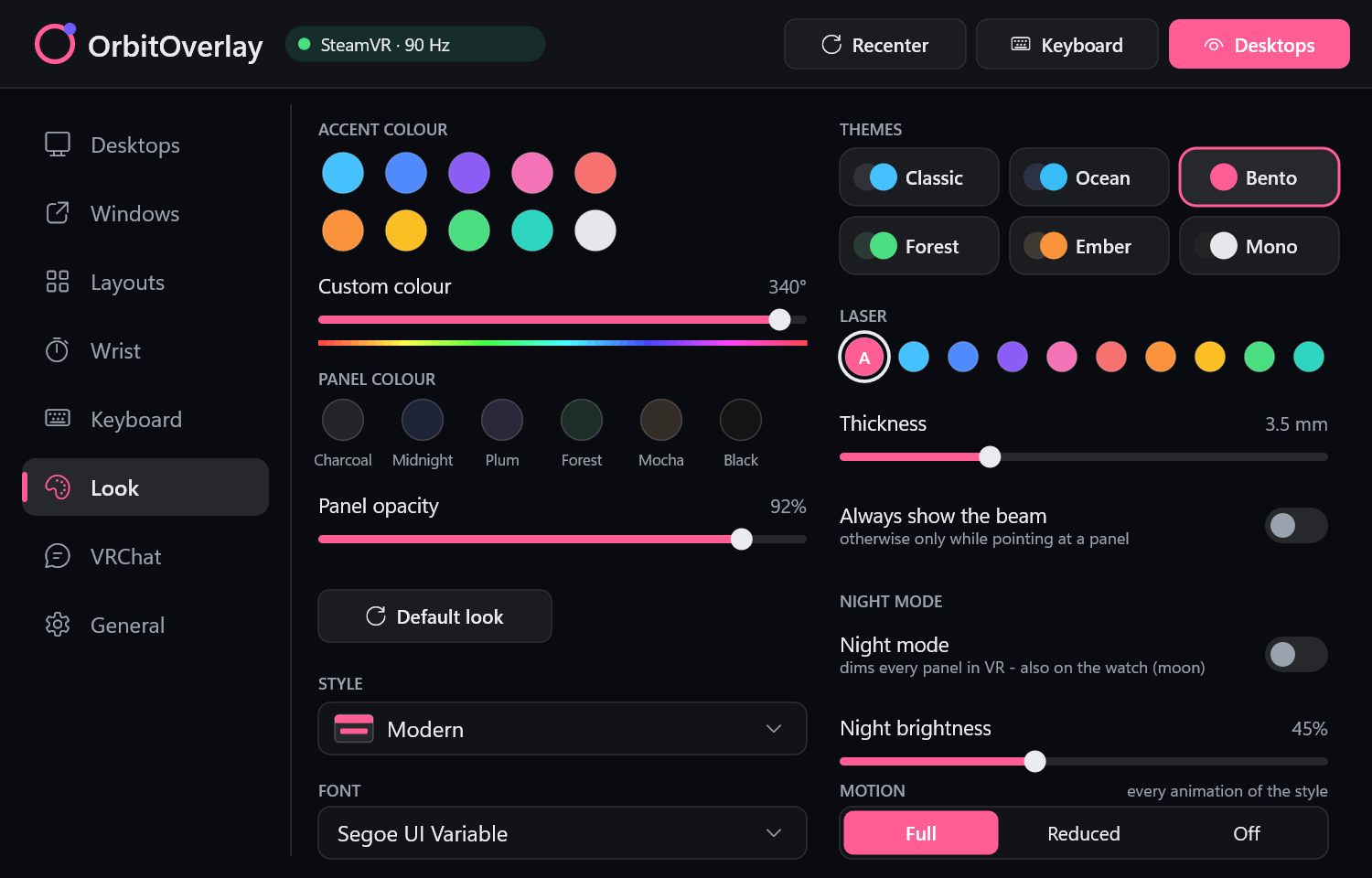
The same watch face in the Modern style: now playing, batteries, frame rate, a keyboard button, a performance row, the time, Monitors and SettingsSettings › Look in the Modern style, with Style and Motion
Modern. The Bento cards in your accent colour, theme and font. It springs and slides.
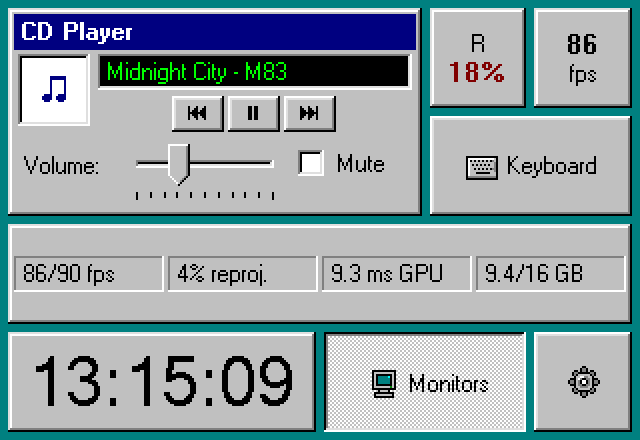
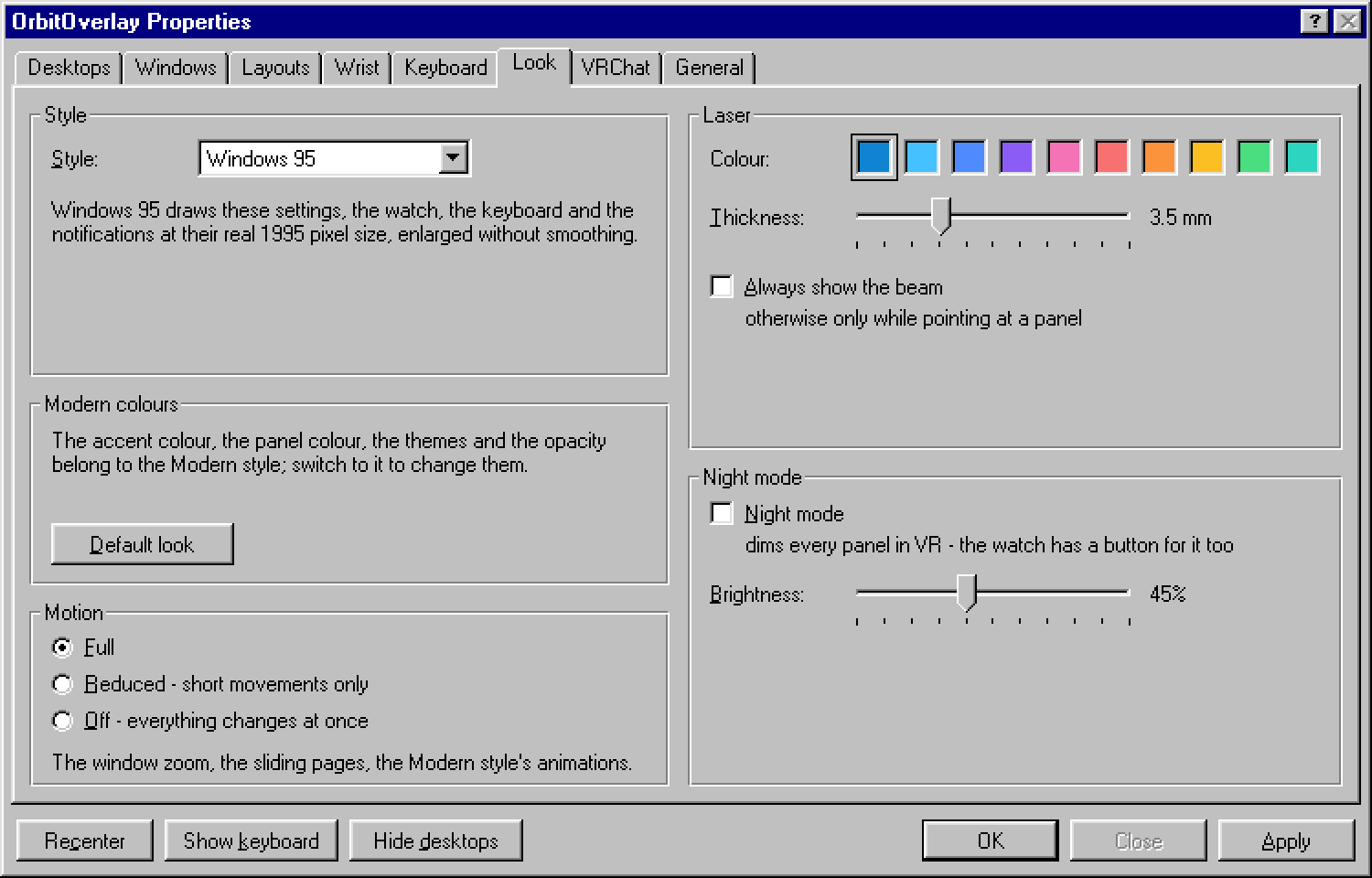
The same watch face in the Windows 95 style: now playing, batteries, frame rate, a keyboard button, a performance row, the time, Monitors and SettingsSettings › Look in the Windows 95 style, with Style and Motion
Windows 95. Property sheets in real 1995 pixels and MS Sans Serif; the clock is the Date/Time window, the music a CD Player. It stays as still as it was.
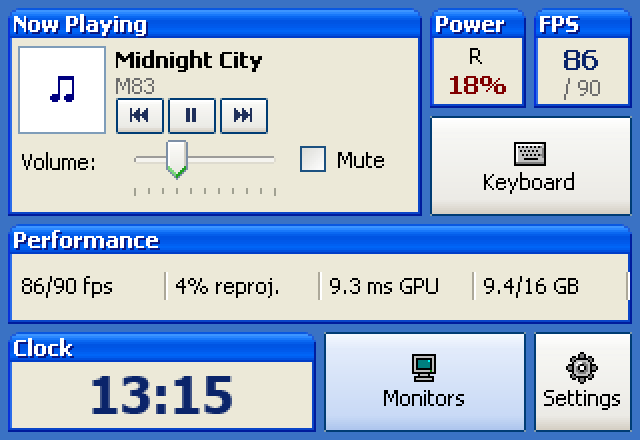
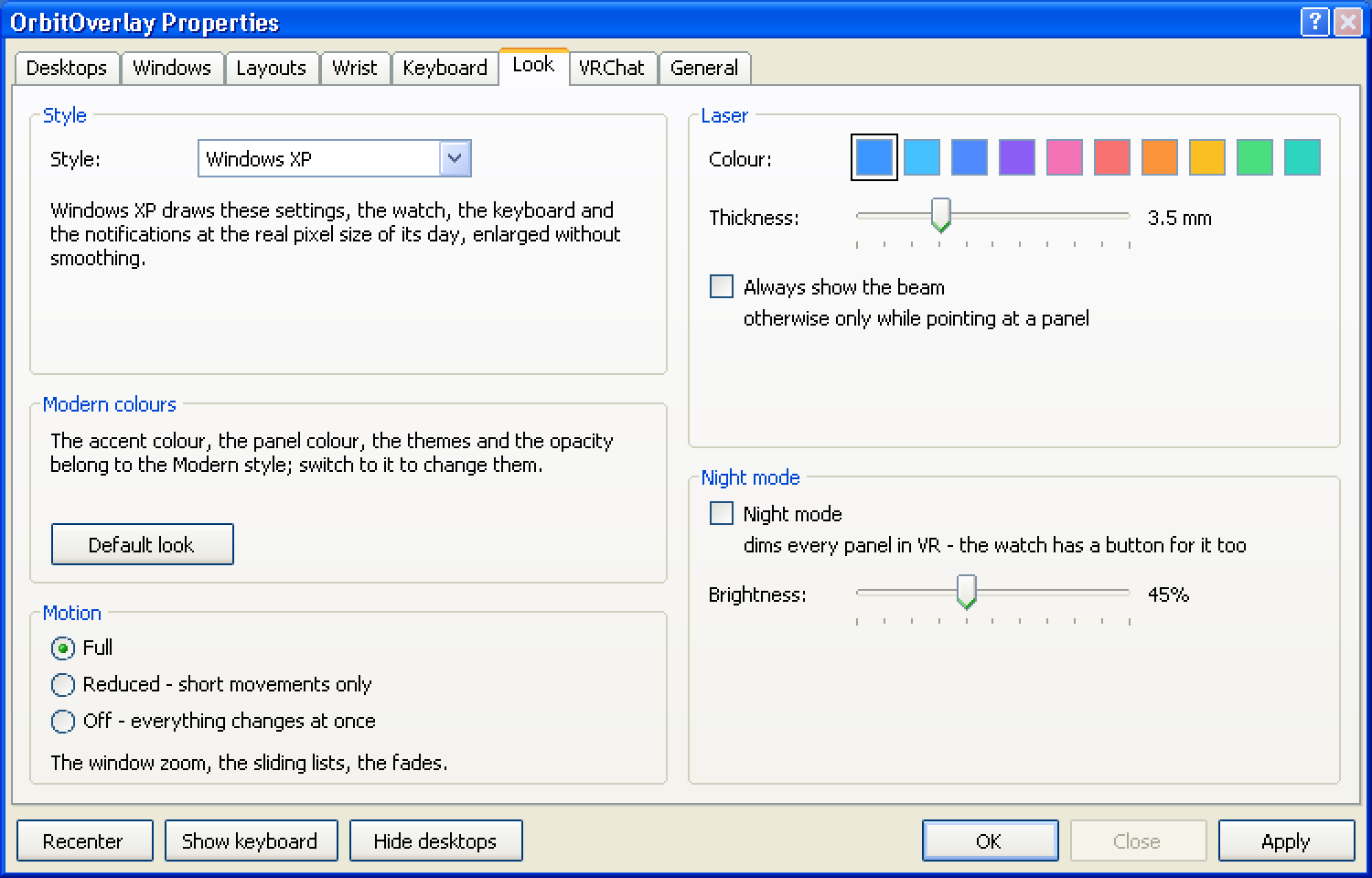
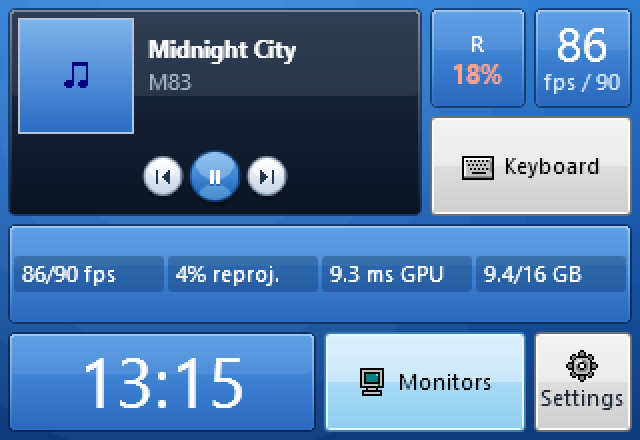
The same watch face in the Windows XP style: now playing, batteries, frame rate, a keyboard button, a performance row, the time, Monitors and SettingsSettings › Look in the Windows XP style, with Style and Motion
Windows XP. Luna windows, Tahoma and green progress blocks; opened widgets become Date and Time Properties, Task Manager and Windows Media Player, notifications are tray balloons. It fades.
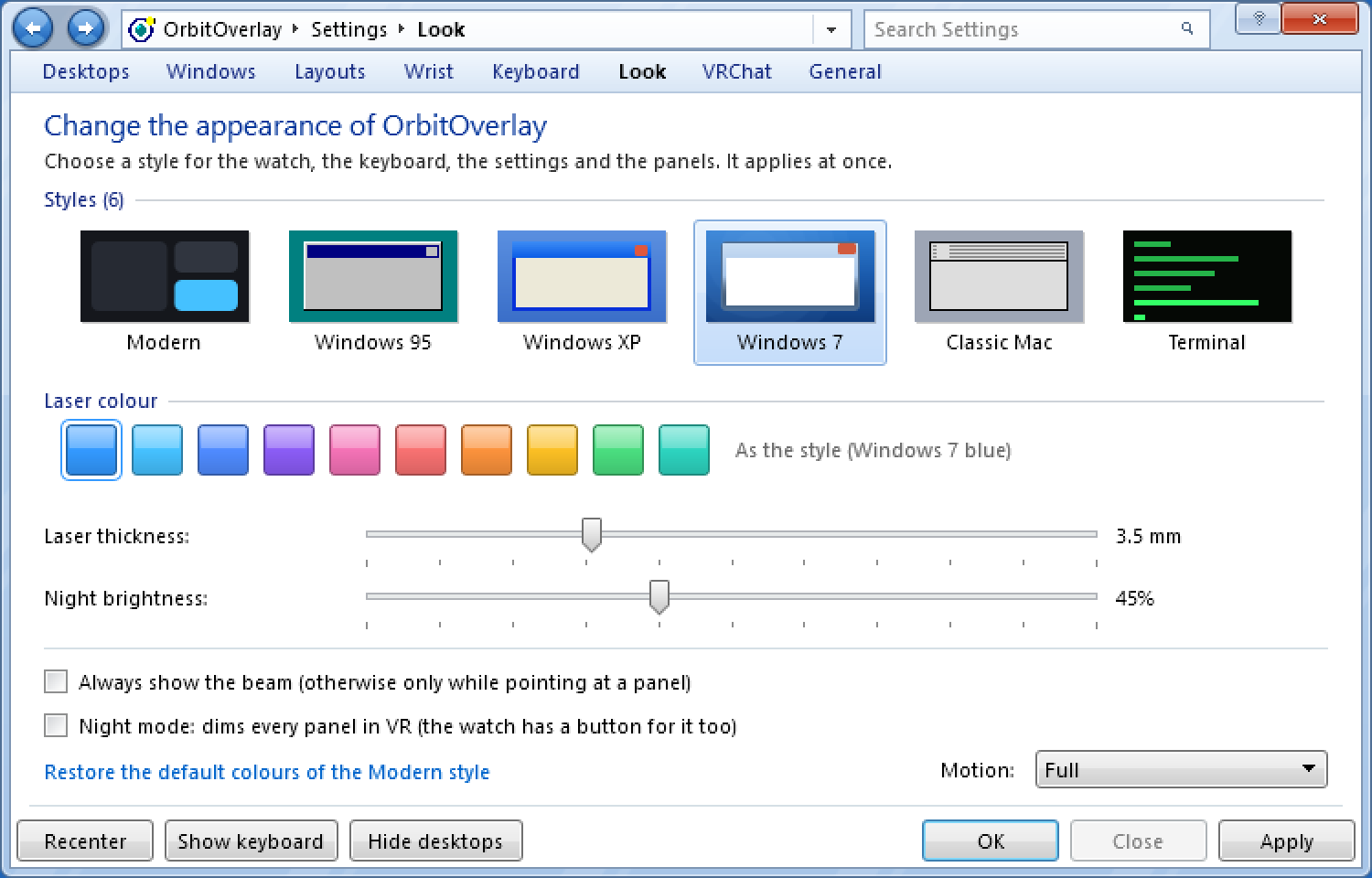
The same watch face in the Windows 7 style: now playing, batteries, frame rate, a keyboard button, a performance row, the time, Monitors and SettingsSettings › Look in the Windows 7 style, with Style and Motion
Windows 7. Glass windows, the Control Panel look, the On-Screen Keyboard and the Windows 7 Minesweeper. It fades and glows.
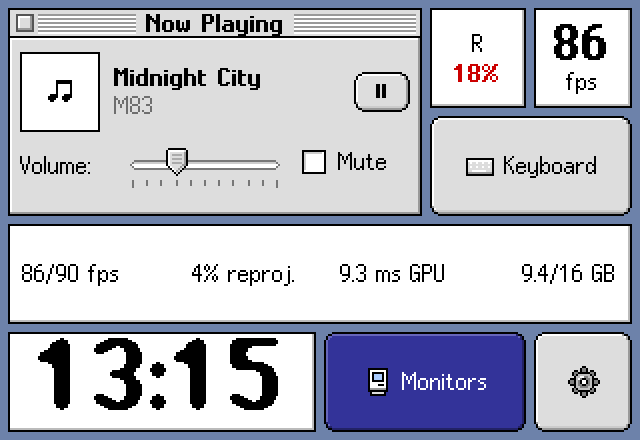
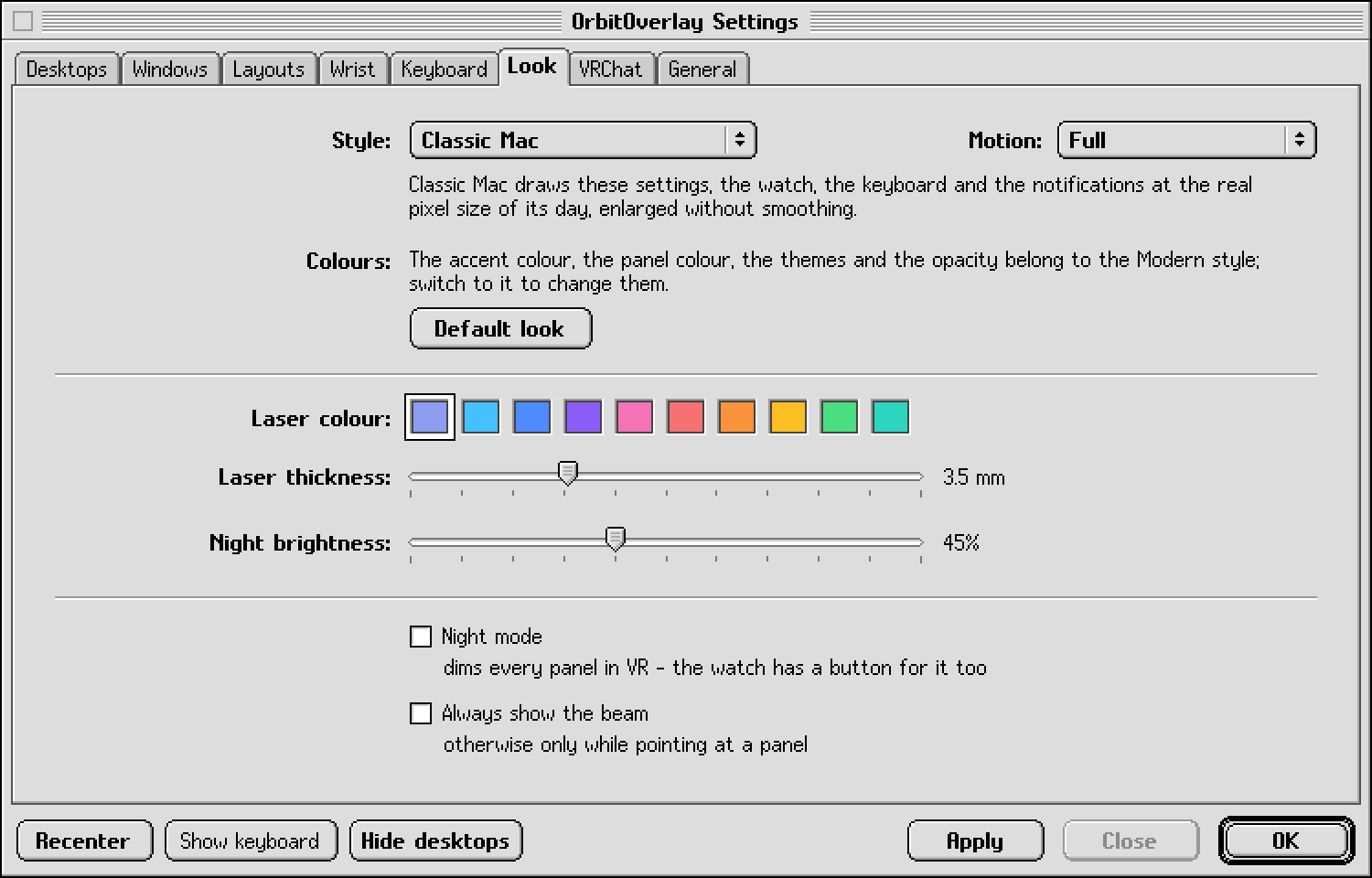
The same watch face in the Classic Mac style: now playing, batteries, frame rate, a keyboard button, a performance row, the time, Monitors and SettingsSettings › Look in the Classic Mac style, with Style and Motion
Classic Mac. Platinum windows with Chicago and Geneva type; the room is a Finder list, the screen bar a Control Strip. Its windows zoom open.
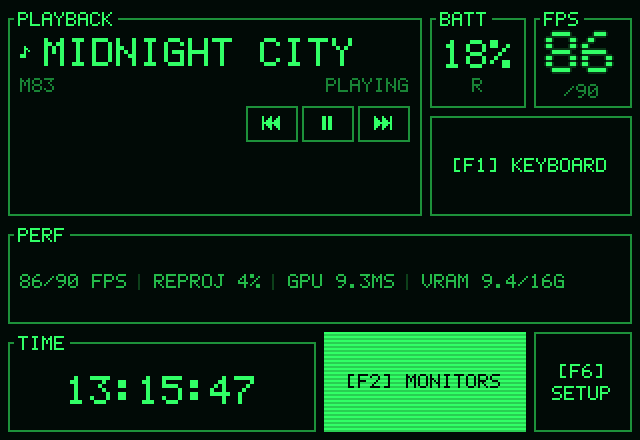
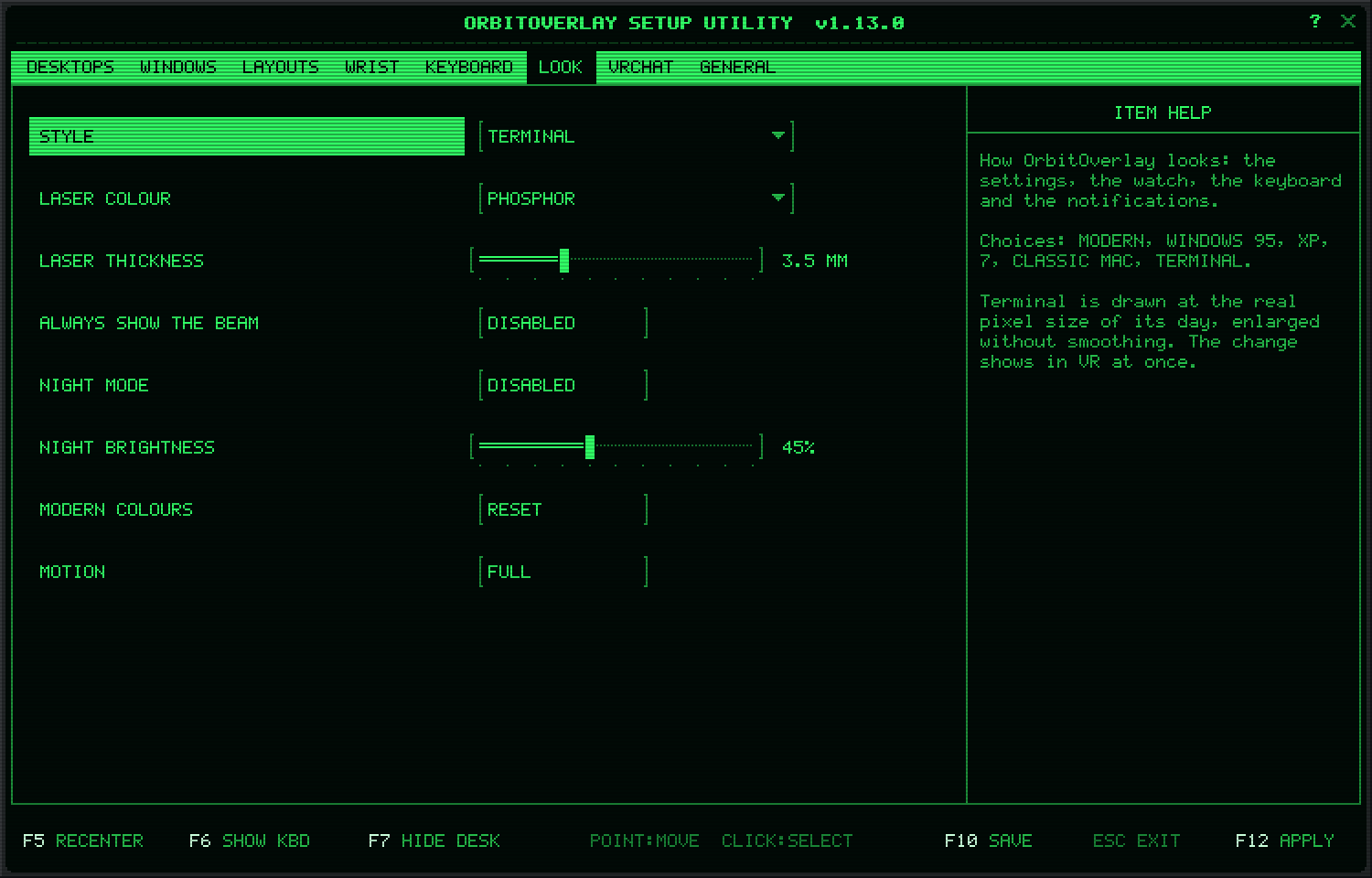
The same watch face in the Terminal style: now playing, batteries, frame rate, a keyboard button, a performance row, the time, Monitors and SettingsSettings › Look in the Terminal style, with Style and Motion
Terminal. Green phosphor with scanlines, a BIOS-style setup screen and Unix broadcast messages. It switches on like a CRT.
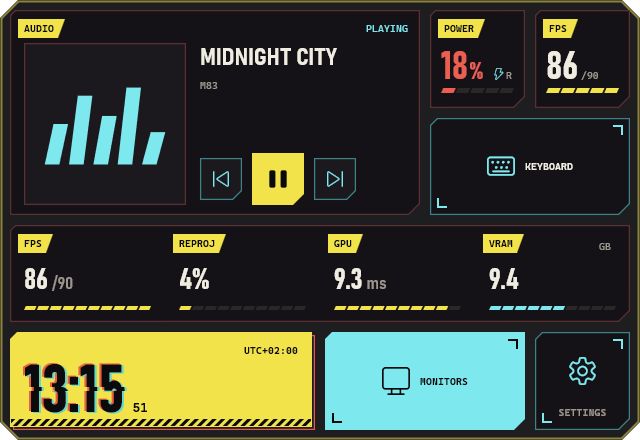
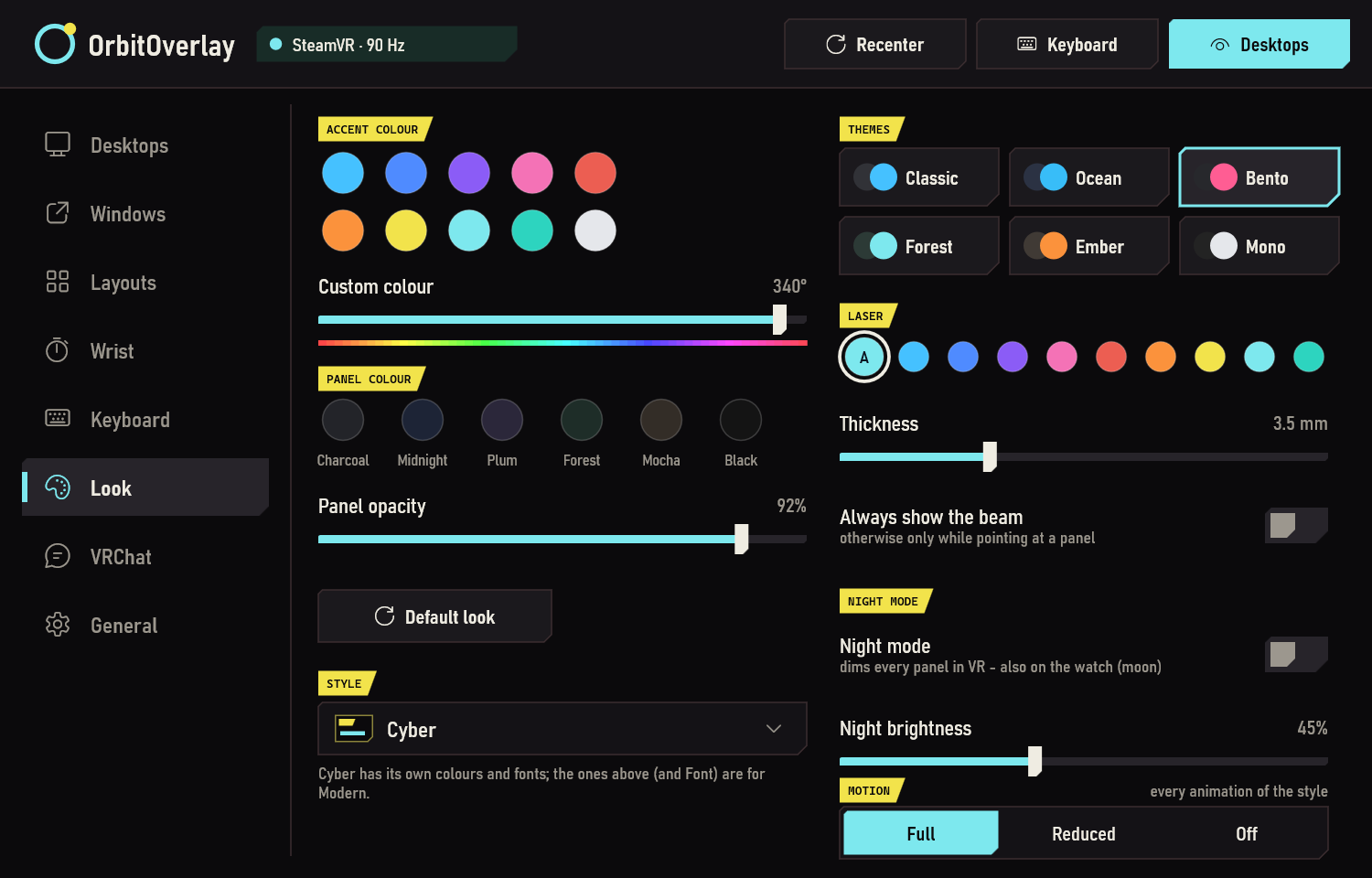
The same watch face in the Cyber style: now playing, batteries, frame rate, a keyboard button, a performance row, the time, Monitors and SettingsSettings › Look in the Cyber style, with Style and Motion
Cyber. A sci-fi HUD with yellow tags, cut corners, segmented bars and a glitching time card. It boots when the watch comes into view.
The Cyber watch booting: the card outlines draw in and the values count up, then the yellow time card glitches
Cyber boots when the watch comes into view, and the time card glitches when the minute changes.

Every style moves its own way

Cyber boots its HUD, Terminal switches on like a CRT, the Mac zooms its windows, XP and Windows 7 fade and glow, Modern springs and slides. Windows 95 stays as still as it was.

Settings › Look › Motion: Full, Reduced (short transitions only) or Off (nothing moves).

What's in it

A watch face with the time, time in VR, volume, the emptiest battery, now playing, RAM, CPU, the room, VRAM and six buttons, and the page dots

The watch

Look at your wrist. Fill a 6 × 4 grid with 32 widgets: clocks, batteries, music, frame times, buttons. Add more pages and swipe between them.
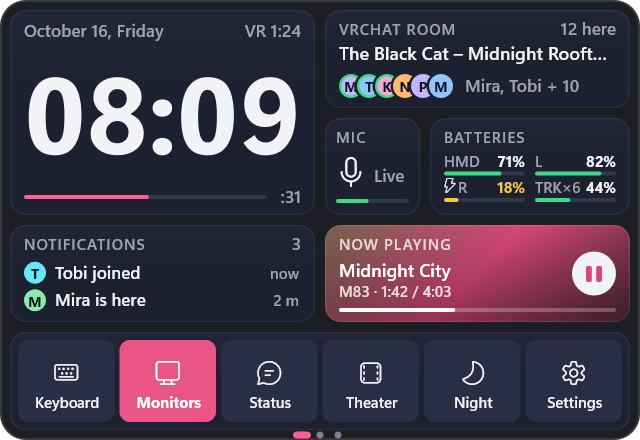
The VRChat page: the time, who is in the room, the microphone, batteries, notifications, now playing and a row of buttons

VRChat and Performance pages

Who is in the room, your microphone and notifications on one page, the last 30 seconds of frame times, CPU and VRAM on the next. Tap the room to see who is there.
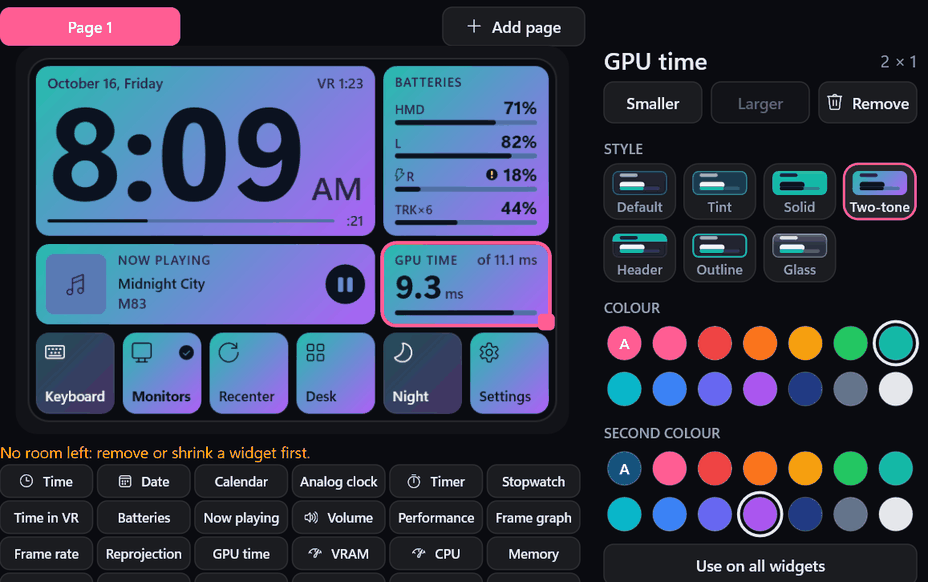
The watch editor: the selected widget's style and its two colours

A look for every widget

Tint, Solid, Two-tone, Header, Outline or Glass in 13 colours. Clocks as Flip, Stacked, Segment, Words or a station clock, and a font of your choice.
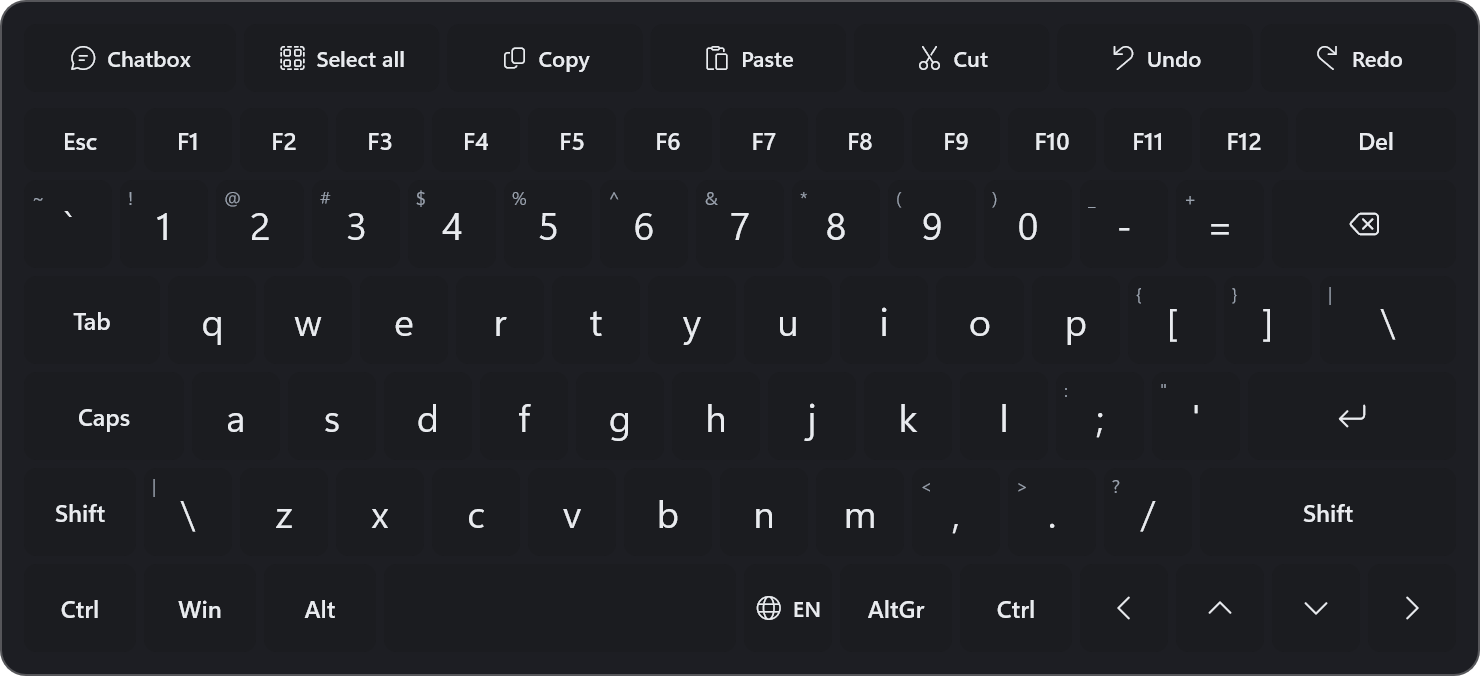
The VR keyboard with a shortcut bar and the chatbox key

Desktop and keyboard

Monitors and windows as curved screens, the laser as your mouse, a keyboard that opens by itself. The bar under your middle monitor has Theater mode and the keyboard.
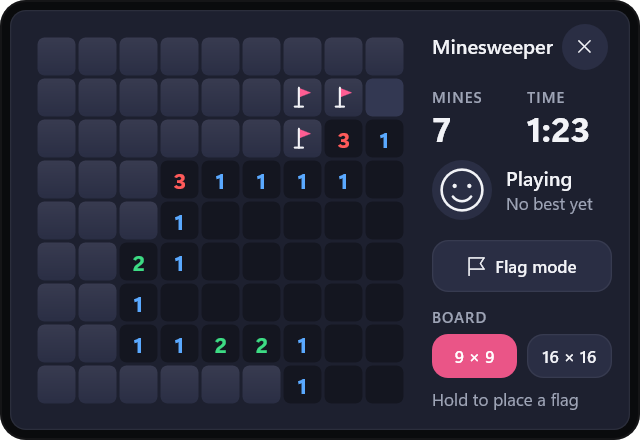
Minesweeper opened on the watch: the board, mines left, the time, flag mode and the board size

Minesweeper

A small tile that grows into the game: tap to open a square, hold to flag it. In the Windows 95 style it is the real 1995 Minesweeper, in Windows 7 the Windows 7 one.
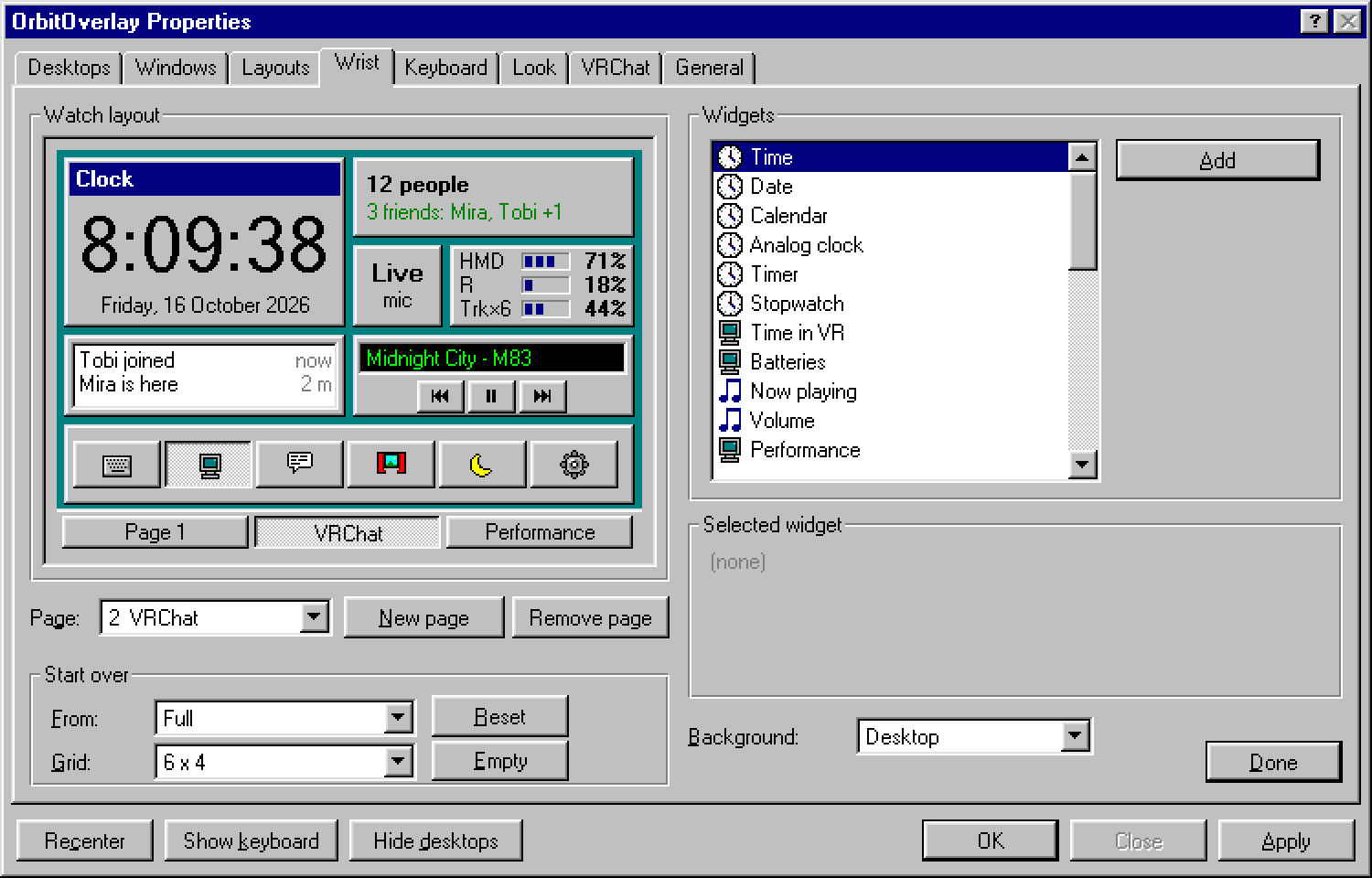
The settings in the Windows 95 style: the watch layout with its pages Page 1, VRChat and Performance

Your look

Seven styles: Modern, Windows 95, Windows XP, Windows 7, Classic Mac, Terminal and Cyber, each with its own animations. In Modern, any accent and panel colour; night mode in all of them.

Also: theater mode · Desk, Bed and Couch layouts · your song and time in the VRChat chatbox · XSOverlay-style notifications (VRCX) · the Hexpad stream dock on the watch · volume that works with Virtual Desktop · updates from inside the app · no telemetry

Install

  1. Download (49 MB) and run it. It installs for your Windows user, no admin rights needed.
  2. Put on your headset and look at your left wrist.

Windows 10 (2004 or newer) or 11, a DirectX 11 graphics card and SteamVR. With Virtual Desktop, pick SteamVR as the runtime. SmartScreen may warn, because the installer isn't signed yet: More info › Run anyway. Later updates come from Settings › General. Controls, questions and fixes are in the guide.

Found a bug, or have an idea? Tell me on GitHub. To hear about new versions, follow the releases feed (RSS) or watch the repository's releases on GitHub.

Latest update